
Vimi: My Math Tutor
Vimi AI Math TutorEducation
4.294.00 Reviews
- Version
- 1.0.72
- Installs
- 100.00K
- Age Rating
- Everyone
Screenshots

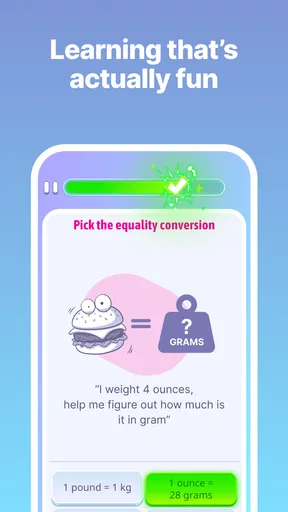
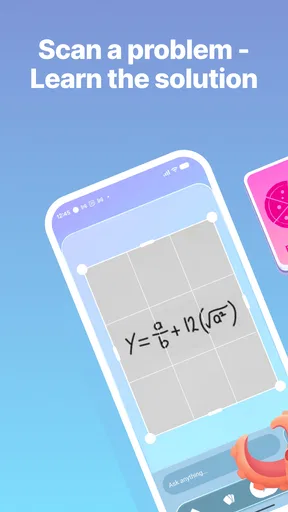
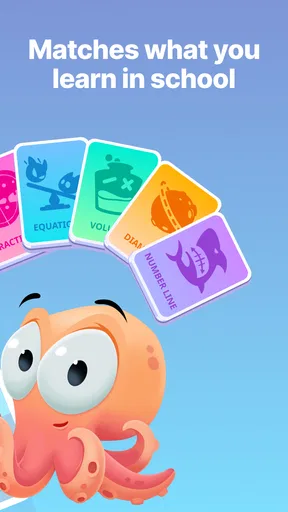
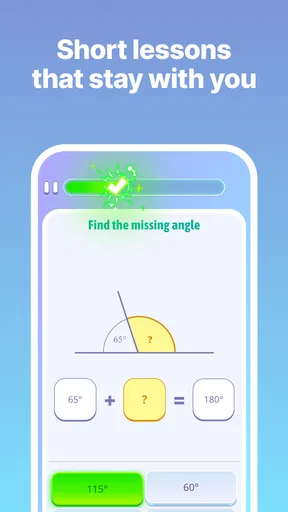


Our Review of Vimi: My Math Tutor
 Analysis by Appyee
I approached Vimi: My Math Tutor as an app I might keep on my phone for those moments when a math problem looks simple but refuses to make sense. It belongs to the Education category and is developed by Vimi AI Math Tutor, with a clear focus on personal help rather than a broad collection of school subjects. My first impression was that its value depends less on opening it once and more on whether its explanations help me return to the same kind of problem later with greater confidence.
That distinction matters. A math helper can feel impressive during the first few sessions, especially when I am stuck and want an immediate explanation. The harder test is what happens after the novelty fades: does it become part of a useful study routine, or does it remain an emergency button used only before homework is due? In my experience, Vimi has the best chance of lasting when I use it actively, asking it to clarify a method and then solving a similar exercise myself instead of treating it as an answer machine.
From first-week appeal to a useful study habit
The app is free to install, which makes trying it straightforward. It is rated for Everyone, so it is positioned for a wide audience rather than a narrowly defined academic group. The current release is version 1.0.72 and requires Android 8.0 or later. Those details make it accessible to people using older Android devices, although actual comfort will still depend on the phone’s screen, keyboard, and general responsiveness.
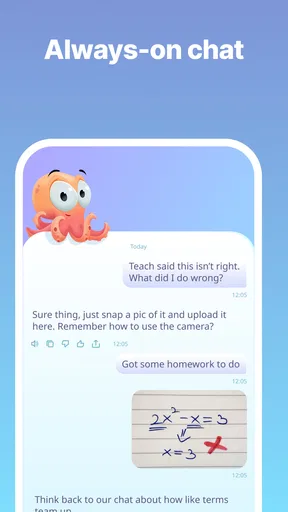
During a first week, I would use Vimi in three different ways. First, I would bring it a problem that I genuinely cannot start. Second, I would check a solution after working independently. Third, I would ask for the reasoning behind a step I often forget, such as why a sign changes or why a particular operation is allowed. The third use is the most important because it turns the app from a calculator substitute into a learning aid.
A realistic example is an evening homework session. I might spend ten minutes trying to rearrange an equation, reach an answer that looks plausible, and still have no idea whether my process was sound. Instead of immediately copying a result, I would use the tutor to identify the step where my reasoning went off track. I would then close the app, redo the problem on paper, and compare the result. That small pause is what protects the learning value.
The strongest first-week habit is to ask for an explanation, not merely an outcome. If I use every response as something to copy, the app can make homework feel faster while leaving the underlying weakness untouched. If I use it to expose the exact point of confusion, it becomes more useful on the next problem.
That workflow also reveals an important trade-off. An AI tutor is more flexible than a traditional answer key because I can phrase confusion in ordinary language. However, flexibility can tempt me into vague questions. “I do not understand this” gives me less useful guidance than “I understand the first step, but I do not know why the denominator changes here.” The quality of the session depends partly on how clearly I describe the obstacle.
What makes the early experience appealing
Vimi’s appeal comes from reducing the embarrassment and friction of asking for help. When I am studying alone, I do not have to wait for a teacher, interrupt a parent, or search through several unrelated videos. I can focus on the exact point that is blocking me. That makes it particularly suitable for short study windows, such as a bus ride, a break between activities, or the last part of an evening assignment.
It also suits learners who need repetition without feeling judged. A student may understand a method only after hearing it explained in a different way. A personal tutor format encourages that second attempt. I would not expect every explanation to replace classroom instruction, but I can see the benefit of having a patient place to revisit a basic idea.
The first week is also when I would decide whether the interaction style suits me. Some learners prefer a worked example and a clear sequence of steps. Others want a textbook, diagrams, or a teacher who can observe their written work. Vimi is a better match for the first group than for someone who learns mainly through physical demonstrations or detailed visual notes.
Where it stands beside familiar alternatives
Compared with a calculator, Vimi has a more educational purpose because the useful part is the reasoning around a result. A calculator remains better for quick arithmetic checks and exact numerical work when I already know the method. Compared with a search engine, the tutor approach can be more direct: I do not have to sort through several pages or guess which explanation matches my level. Search is still preferable when I need a diagram, a formal definition, or multiple independent explanations.
Traditional textbooks and classroom notes have an advantage in structure. They usually follow a planned sequence, introduce terminology carefully, and provide exercises that build on one another. Vimi is more convenient when my need is immediate and specific, but convenience is not the same as a complete curriculum. I would use it alongside organized lessons rather than expecting it to replace them.
Video lessons can be better when I need to watch a process unfold or hear a long explanation from a teacher. Vimi is more practical when I want to interrupt, ask about one line, and continue. The choice is therefore less about which tool is universally best and more about whether I need a conversation, a reference, a visual demonstration, or a structured course.
What remains valuable after the novelty fades
The month-to-month question is whether the app helps me solve recurring problems more independently. I would measure that by behavior, not by how impressive the first answer feels. After several weeks, I should be opening it less often for familiar steps, using it mainly for new obstacles or for checking a method. If I still need it for every basic exercise, the app may be providing assistance without building enough retention.
One practical way to create lasting value is to keep a short error log outside the app. Whenever Vimi explains a mistake, I would write down the type of error in my notebook: sign confusion, skipped transformation, misunderstood wording, or a formula used in the wrong situation. At the end of the week, I could review those patterns and use the tutor to revisit only the two or three ideas that keep returning. This is more effective than opening the app randomly whenever anxiety appears.
Another useful routine is the “attempt first” rule. I would spend a few minutes making a genuine start before asking for help, even if the first line is incomplete. Then I would compare my approach with the explanation and finish the problem myself. This preserves productive struggle while avoiding the frustration of being stuck for too long. It also gives the tutor better context than a bare request for an answer.
For parents or older students deciding whether to keep it installed, the key question is not whether it can answer a difficult problem once. The question is whether the learner returns to review mistakes and gradually needs fewer prompts. If the app becomes a shortcut around thinking, its recurring value drops. If it becomes a place to diagnose confusion, it can earn a regular place in a study routine.
The app has already reached over one hundred thousand installs and holds a 4.2 average from 431 ratings, with 94 written reviews. Those figures suggest that it has found an audience, but they do not decide whether it will suit a particular learner. I would treat the public response as a reason to try it, not as proof that every explanation or study style will fit me.
Maintenance is light, but learning still needs effort
Keeping the app available should be easy for most users because the download itself is free. The more demanding maintenance is personal: I need to remember what I asked, notice repeated mistakes, and return to topics after the immediate homework pressure has gone. No tutor app can create a durable habit if I only open it in a panic and never revisit the explanation.
I would also keep a simple boundary between help and submission. For independent practice, I would solve first and use Vimi to check my reasoning. For assigned work, I would use it to understand the method rather than reproduce a polished response. This boundary is not just about academic honesty; it makes the app more valuable because I can tell whether I actually learned anything.
There is a small organizational burden in switching between the problem, the tutor, and my own notes. On a phone, copying a long equation or describing a diagram may be less comfortable than writing on paper. I would therefore use the app for targeted clarification and keep calculations in a notebook. That combination reduces the risk of losing the thread in a long chat and makes later revision easier.
Families should also remember that free access does not mean every possible use is cost-free. Vimi includes in-app purchases ranging from $19.99 to $154.90 per item. I would check the purchase screen carefully before committing to anything and decide whether the available free experience already meets my needs. Someone looking for a completely cost-free, long-term study system should pay attention to that distinction.
Sources of fatigue and situations where I would skip it
The biggest source of fatigue is repetition without progress. If I keep asking for solutions to similar exercises but do not attempt them independently, the sessions may become passive. The app can feel helpful while my confidence remains fragile. I would change the routine by asking for a hint, stopping before the final step, and completing the rest on my own.
Another possible frustration is that conversational help is not automatically the same as a carefully sequenced lesson. When I have a large gap in foundational knowledge, isolated explanations may not be enough. I would choose a textbook, teacher-led course, or structured learning platform when I need a complete path from basics to advanced material. Vimi makes more sense as a responsive companion than as my only mathematics curriculum.
I would also skip it for tasks where visual or physical presentation is central. If the challenge depends on reading a detailed graph, interpreting a geometric figure, or following handwritten notation, a paper solution or classroom explanation may be clearer. The app is most compelling when the difficulty can be expressed precisely through a question and worked through in steps.
Students who dislike conversational interfaces may find the format tiring as well. Some people want a fixed answer key, a bank of graded exercises, or a progress chart rather than an open-ended tutor. In that case, a conventional practice app may provide stronger motivation. Vimi is not automatically better simply because it is more interactive.
There is also a judgment issue with AI-generated explanations: I would not accept a response blindly. If a step seems inconsistent with my class notes, I would compare the approaches and ask the tutor to explain the difference. For high-stakes preparation, I would verify important concepts against a teacher or trusted textbook. That extra check is a sensible part of using any AI learning tool.
Who is most likely to keep using it
I think Vimi is best for a learner who already has some material to work on and needs patient, on-demand clarification. It can be especially useful for independent students who are comfortable trying a problem first, identifying a specific sticking point, and writing down what they learned. It may also help adults returning to math after a long break, because the private format makes it easier to revisit fundamentals without feeling self-conscious.
It is less suitable for someone who needs a complete course with a fixed progression, extensive visual instruction, or formal teacher feedback. It is also a poor fit for a user who wants instant answers with no explanation or who expects the app to manage every part of a study schedule. Those expectations ask it to be something broader than a personal math helper.
For younger learners, I would encourage an adult to stay involved in the routine, not necessarily to monitor every question but to make sure the child is explaining the answer in their own words. The Everyone age rating makes the app broadly approachable, yet age suitability and effective learning are different questions. A child may still need guidance on when to ask for a hint and when to keep trying.
My long-term verdict
After the initial appeal wears off, I see Vimi as a useful supporting tool rather than a replacement for teaching, practice, or a well-organized course. Its lasting value comes from the moments when I can name my confusion and receive a response that helps me continue. It is not the kind of app I would open for entertainment, and its usefulness depends on bringing real effort to each session.
The free entry point makes experimentation reasonable, while the in-app purchase range means I would make any paid decision slowly and only after testing whether the basic workflow fits my study habits. The developer, Vimi AI Math Tutor, has created something aimed at a common problem: being stuck alone with a math question. That is a worthwhile role, but the app earns long-term space only when it changes what I can do without help.
My recommendation is therefore specific. Install it if you want an on-demand explanation for math problems, are willing to attempt the work first, and can pair the conversations with notes and regular practice. Skip it if you need a full, structured curriculum, prefer visual teaching, or mainly want a fast calculator. Used thoughtfully, Vimi can remain useful beyond its first-week novelty because it turns confusion into a starting point. Used passively, it risks becoming another shortcut that feels productive without building lasting understanding.
Verdict
Strengths of Vimi: My Math Tutor
- Clear step-by-step explanations make difficult math topics easier to understand.
- Covers multiple school-level math subjects in one app.
- Useful for independent practice without needing a live tutor.
- Interactive lessons can make repetitive exercises more engaging.
- Helpful for reviewing concepts before homework, tests, or exams.
Limitations of Vimi: My Math Tutor
- Some advanced topics may have limited depth for older students.
- The quality of help depends on entering the problem correctly.
- Frequent practice may feel repetitive for users seeking game-style learning.
- Certain features or content may require an internet connection.
- Personalized guidance cannot fully replace support from a qualified teacher.
Similar Picks in This Category
View All
Duolingo: Language Lessons
Duolingo4.7

Google Classroom
Google LLC2.8

Unacademy: Learn & Crack Exams
Unacademy3.2

Bible App for Kids
Life.Church4.4

Cake - Learn English & Korean
Cake Corp.4.7

Brainly: AI Homework Helper
Brainly4.5
Frequently Asked Questions
What is Vimi: My Math Tutor, and who is it designed for?
Vimi: My Math Tutor is an educational app designed to help learners practice and understand mathematics through guided exercises, explanations, and interactive support. It may be useful for students who need extra practice with school-level topics, homework assistance, or revision before a test. Before downloading, check the app’s current grade range and supported subjects to make sure they match the learner’s needs.
Can Vimi: My Math Tutor solve problems and explain the steps?
The app is intended to provide more than just final answers by helping users follow the reasoning behind a mathematical solution. Depending on the problem and the version installed, Vimi may offer hints, worked steps, or explanations that make mistakes easier to identify. However, users should still read each step carefully and use the guidance for learning rather than submitting copied answers.
Does Vimi: My Math Tutor require an internet connection or an account?
Some features of Vimi: My Math Tutor may depend on an internet connection, especially if problem analysis, personalized tutoring, synchronization, or other processing takes place online. The app may also request account registration to save progress or unlock additional tools. Because requirements can change with updates, review the store listing and the app’s privacy information before downloading or entering personal details.
Is Vimi: My Math Tutor free to use?
Vimi: My Math Tutor may be available to download at no initial cost, but certain lessons, tutoring functions, usage limits, or advanced features could require in-app purchases or a subscription. Check the pricing section in Google Play or the App Store before starting a trial. If the app is used by a child, parents should also review payment settings and subscription cancellation terms.
Is Vimi: My Math Tutor suitable for children and safe to use?
The app can be helpful for younger learners, but suitability depends on the student’s age, curriculum, reading ability, and the type of guidance provided. Parents should review the app’s age rating, permissions, privacy policy, advertising practices, and any communication features. It is also a good idea to supervise initial use and confirm that the app supports learning without replacing a teacher or responsible adult.
